iMessage extension

Transform your texts, unleash the fun

Pirate speak, Yoda wisdom, sarcasm, and more — right inside Messages. No app switching.

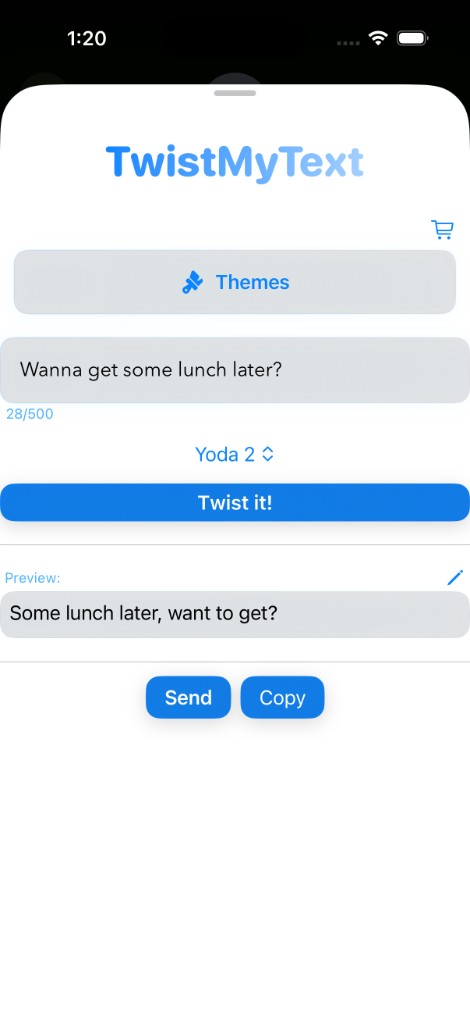
TwistMyText on iPhone: type a message, pick Pirate, Yoda, or Sarcasm, and see the twisted preview.
  • Works in any iMessage thread
  • Multiple personalities in one tap
  • Preview your twist, then send or copy.
Download on the App Store

What is TwistMyText?

TwistMyText is an iMessage extension that adds personality to your conversations. Pick a style — Pirate, Yoda, Sarcasm, and others — and transform your message before you send it. It lives in the app drawer next to your keyboard, so the flow stays natural.

From the app

A quick look at TwistMyText on iPhone — in Messages and in the editor.
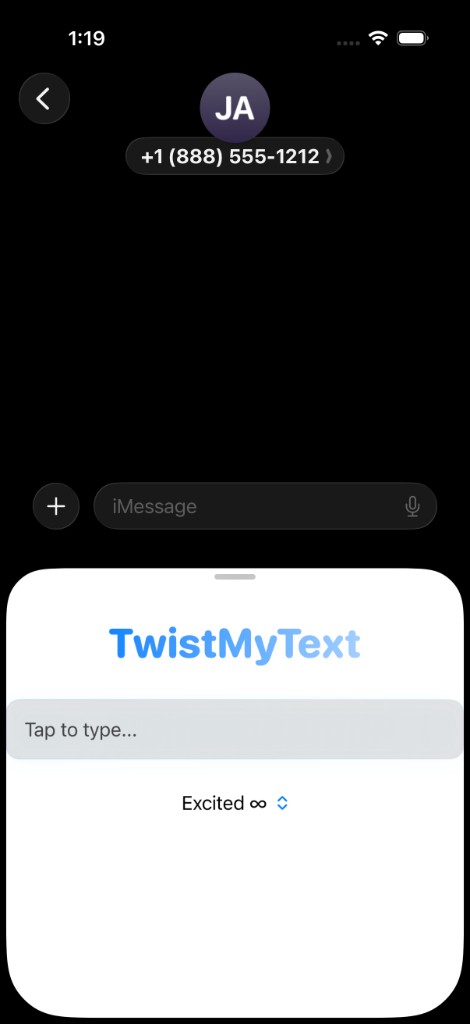
TwistMyText open in an iMessage thread: compose a message and pick a style.
Right inside iMessage — pick a style and twist before you send.
TwistMyText editor with text field, style picker, Twist it button, preview, and Send and Copy.
Type, choose a voice, tap Twist it!, then preview and send or copy.
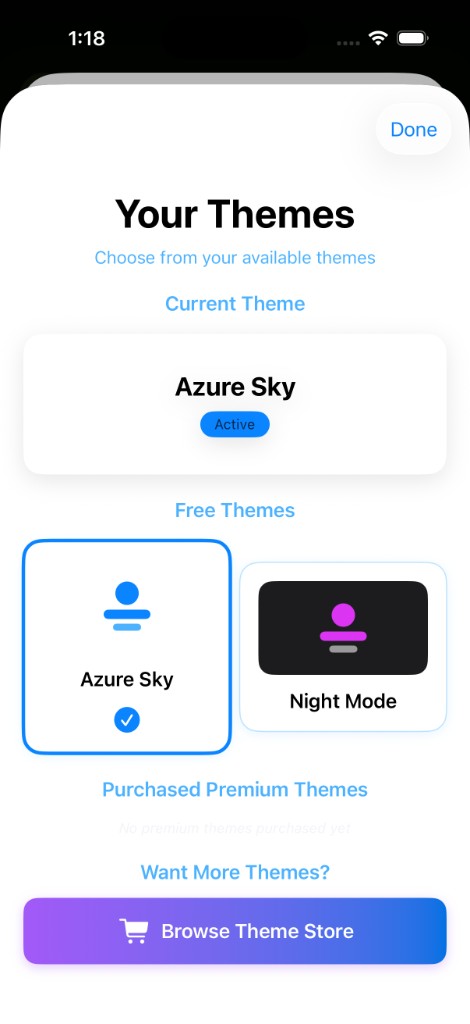
Theme Store with colorful theme cards and buy options.
Your themes, free and premium picks, and the Theme Store.

How it works

1

Open Messages

Start or open a conversation on your iPhone.

2

Open the app strip

Tap the apps icon beside the text field to reveal iMessage apps.

3

Pick a style & send

Choose a twist, type your line, and drop it into the thread.